Showing posts with label teaching. Show all posts

Monday, February 22, 2016

Fine Motor Skills and why we should be incorporating them everyday

Our fine motor skills are the skills we use daily, but don’t think about. They are in use when we get dressed, do the dishes, tie our shoelaces, type an email, draw a picture, even eat food or a simple smile, and that conversation you had with your child? Well there are fine motor skills there as well. So, what exactly are they?

Most people know that they involve the small muscles in your hand, while few people realise it involves the small muscle movements in your face as well – your mouth, tongue and lips, as well as your feet.

Fine motor skills sometimes need a little help to develop. There are plenty of activities available on the internet for parents and teachers to have a look at, but many do not look at the implications of using fine motor skills, and why they need to be developed properly. Let’s have a look at typical development and how these skills develop naturally.

Fine Motor Development Skills by Age
0-6 Months
·      Reflexive grasp – this should be present at birth
·      Uncontrolled or Involuntary Reaching for objects
·       Voluntary grasp
·       Using 2 hands to grasp something (whole hands, also known as the 2 handed palmar grasp)
·       By 5 months, a 1 handed palmar grasp
·         Controlled reach by 5 months
6-12 Months
·         Reaches and grasps objects, puts them into their mouth
·         Able to release objects in a controlled manner
·         Development of the pincer grasp – using the forefinger and thumb to pick up small items
·         Moves items from one hand to the other hand
·         Is dropping and picking up toys
1-2 Years
·         Building a tower of 3 or more blocks
·         Can put pegs into a pegboard
·         Turning the pages in a book
·         Scribbling
·         Paints with whole arm movement
·         Beginning to feed themselves
·         Can hold and drink from cup independently
2-3 Years
·         Beginning to thread using large beads
·         Can now turn single pages in a book
·         Starting to cut with scissors
·         Can hold a crayon, not using the fist grip
·         Beginning to use dominant hand more and more
·         Uses wrist action to paint – no longer whole arm movement
·         Can roll and pull playdough
·         Can now eat without assistance
3-4 Years
·         Now able to build a tower with 9 blocks
·         Can copy a circle and a cross
·         Can make simple items with playdough – rolling into a snake
·         Uses the non-dominant hand to help
4-5 Years
·         Can cut on a line continuously
·         Copies a cross and a square
·         Can write their own name
·         Writes number 1-5
·         Able to copy letters
·         Established dominant hand
·         Can get dressed and undressed independently
5-6 Years
·         Can cut out simple shapes
·         Can copy a triangle
·         Can also colour in between the lines
·         Is able to hold a pencil with the tripod grip – thumb, forefinger and index finger
·         Can glue paper
·         Able to draw a basic picture
6-7 Years
·         Able to form most letters and numbers
·         Can write on the line
·         Has control over pencil movements
·         Able to build Lego or similar building blocks
·         Can tie own shoelaces

Not only do these motor skills help us eventually with writing and tying our own shoelaces, they also have an impact on our cognitive functioning.
Our motor movements have been found, with the use of neuroimaging techniques, to be linked to the cognition centres of the brain. Fine motor skills have been found to be a strong indicator of later cognitive ability, particularly reading and math skills.


This is why they are important skills to develop, and when we see them lacking we need to help out. To help you out, we have developed a fine motor checklist with activities to help identify if there is a gap in the development process. 

Tuesday, August 18, 2015

Using Independent Work Binders in the South African Mainstream Classroom

Independent binders are a great way of helping the learners in your class develop independent learning. This, I find particularly true in a special needs environment. Not only is it true, it is also an essential part of a special needs classroom.
But, while I realise just how important this is in my special needs classroom. I began thinking about how they can be used in a mainstream class. 

Create centers in your class
Have an area in your classroom which your learners are able to access throughout the day. In this area, place a learning activity (read:binder) which your learners need to complete at some point throughout the day. In order to do this, laminate the pages of the binder you would like to use, and supply the area with whiteboard markers for your learners to use. This activity may be math, literacy, or life skill related. It may even be an art activity. Not only, are you able to assess their level of independence, but also their level of task initiation, and task completion. 

It may also keep those fast workers occupied for a little while, and give you some time to work with your weaker learners. 

Make flashcards
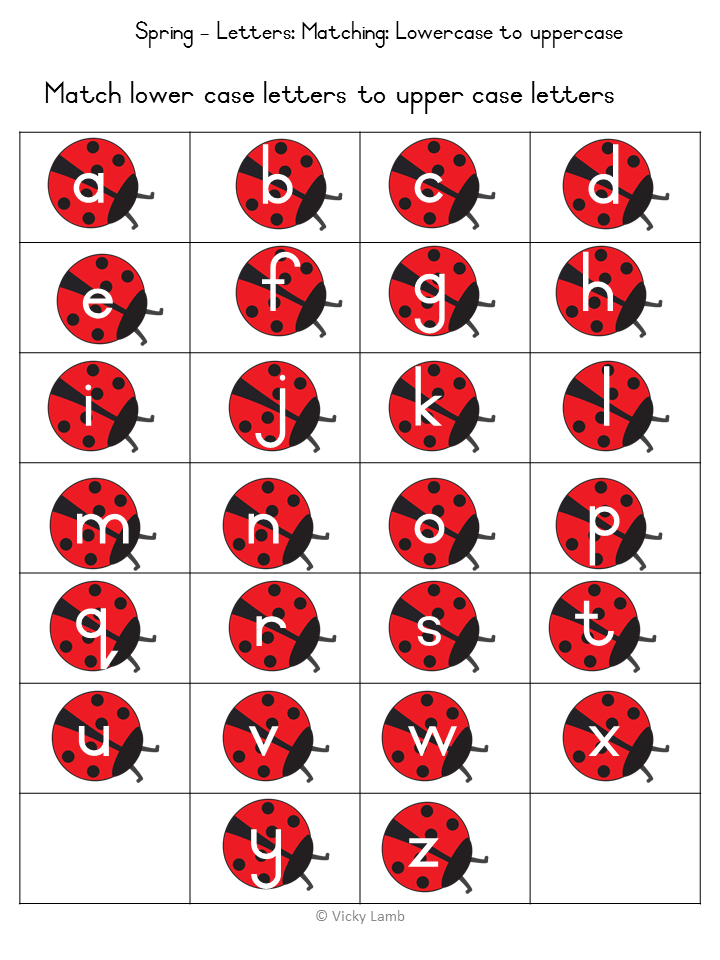
Use these to create ladybug themed
 flashcards
The binders do not have to be used strictly in the sense that you would like them to be used. You can also use them as different themed flashcards. Take the Spring themed bundle and create alphabet and number flashcards as well as colour flashcards. 

Or create snail themed flashcards.
Play games
You can play games, such as snap, or even memory with what is included in the bundle. Again, print and laminate what you need and you have an instant themed game for your class. Remember, if you have different levels of groups in your class, while you are focusing on one group, you may be able to keep the other group occupied with a game. Or, use the game as a fun reinforcement activity of a concept you have been teaching. I always find games seem to help get the concept across.

If you have any more ideas, please feel free to share them in the comments below.


Sunday, March 8, 2015

Creating Workbox Tasks

Hi everyone!!
Sorry we have been so quiet recently. Both of us have had some major changes happening... But we're getting back to normality slowly.
I thought for our first post of the year, I would introduce you all to something I have been looking rather closely into. Workbox Tasks.
Workbox tasks are a great way for creating independent learning. They will provide your learners with structure and routine - in a special needs environment, these two are tantamount to success.
To begin with a workbox classroom, you will need to create independent work stations for each child - these need to be free from all distractions, if you're lucky enough and have space use dividers between the desks to create cubicles. Only use these stations for worktasks, you still want the social aspect of teaching when doing group learning.
Create a schedule for your learners to show them how much work they need to complete when they are working on work tasks.

Now for the tasks:
Firstly, I would like to show you two of mine which I have just created, these two are what we call 'put in/on tasks'. These are the most basic of tasks, and this is what you begin with when introducing your learners to workbox tasks.

First I created a matching task:

Start off with an ice cream box - you can get them from any of the Westpack Shops or plastic shops, get some plastic eggs - also a Westpack item, and some foam numbers from the crazy store. 

Get the kids in the class to match the numbers and close the eggs - this is great for fine motor tasks as well.

When they have finished, make sure they put the completed egg back into the box, complete the other eggs and pack them all away. 

The second task I have included, is a fun one for Easter -

Pick up some more eggs from westpack, and I found these very cute little chicks at China Mall. The eggs are R12 for 10 and the chicks were R2 each. 
Get the kids to put the chicks into the eggs to complete the task - or take them out, if they are unable to put the eggs together.

I hope this gives you some insight into the world of workbox tasks. Have fun with it!


Workbasket Wednesday at Autism Classroom News

Sunday, September 21, 2014

Reading Eggs

I recently stumbled onto a wonderful set of apps developed by the Reading Eggs team. Don't let the name fool you though. They have also designed apps for numeracy. 
Together with their apps, you are also able to create an account on their website, and follow each childs' progress. 
The apps are really great, and the kids in my class have thoroughly enjoyed working on them - in fact they will choose these apps instead of games!! Below is just a few of the apps that I have had the opportunity to work with:


  • Eggy Phonics 1: Short vowel words

Eggy phonics allows you to create as many users as you need, which is really fantastic if you only have one tablet in your classroom. It will also show you the progress of each child, therefore allowing you to see where a child is struggling, and also giving you the opportunity to help that child. 

Once you have selected the child's name, you are taken to a screen which will have two options - words or reward game,
The words game, is a graduated level game. You start on level 1, and with the word cat. Once you have completed all 6 activities, you are then given a short reward and are moved onto the next activity. 
Activity one, is a simple match the word spoken to the correct picture, after completing this level correctly you must then spell the word - this gives you both the letter name and the letter sound. After completing these activities twice, you move onto bubble words - you have to pop the bubbles to spell the word. Your final activity is writing the word. You then earn a badge, and depending on how well you have done, you are awarded a certain amount of game time - you may use your game time straight away, or save it until you have a certain amount,

Eggy phonics begins with the -at word family and moves through the different families.

  • Tap the Cat
Tap the Cat has various activities, ranging from Speak and Listen to Draw and Paint.

1.     Speak and Listen
The app will show you the word, and you then need to record yourself saying the word - great for those battling with a speech impediment.

2.     Smart Quiz
Here, you need to listen to the question and then select the correct question. This I find really useful when working on auditory perception skills. It begins with questions such as; “I can moo. Who am I?” It covers animal sounds and identification , initial sounds as well as associations and colour identification.

3.     Letters
The child must find the matching letters. This activity will help the child learn both the letter name and the letter sound.

4.     Writing
After writing the word, the child is then able to save their best attempt at writing the word.

5.     Sight Words
Take the bunny home to complete this very cute activity. Get the bunny to jump to the correct word until you have eaten the green carrot.

6.     Vocabulary
Matching the word to the picture – touch the word and then select the correct picture.

7.     Time to Rhyme
This activity begins with a good description of what rhyming words are. You are then given a sentence such as; On the house I see a ______ . To complete the sentence, you will need to choose the correct rhyming word.

8.     Draw and Paint
This is a fun activity, your child can paint 6 different pictures.

Eggy Words 250 HD

This is one of the favourites in my class. This is a variety of sight words, which appear on the screen on eggs. You need to touch the correct word. You can choose different speeds and levels. This is a great activity to help with visual tracking.

Eggy Add to 20


In this app there are various games to choose from; balloons, teddy, snowboard, sheepdog, memory and fishing. You are given a sum, and then need to choose the correct answer. With this app, the activities are all very different and require different skills. Some require you to find the answer, while others require you to work out what numbers will give you the answer.

 All of these apps are available in the South African App store as well, and are R24.99 each.


Wednesday, July 9, 2014

What to do for Mandela Day (18/06/2014)


So Mandela day is approaching, and we have all heard about the 67 minutes of doing something good in our communities, or for those who are less fortunate. Many of our kids are currently on holiday, but that is not a reason to let them stay at home and not get them involved. And for those teachers who are working, get your class involved. 

Lets create responsible citizens who give back to their society or community. But, what should we get them to do?

Teachers:
  • Start a blanket/food drive for those who have no blankets or food - particularly in this cold weather. When you have collected a certain amount, get the kids to hand over the items.
  • Collect food for the local animal shelter, or blankets. They are always appreciative of any donations.
  • Run a soup kitchen from your school for the day - approach a local supermarket and ask them for donations, let the kids make the soup and hand it out. Get the parents involved for this one.
  • Ask the kids to collect books, and donate them to a poorer school - you could also get the kids to read a story.
  • Go pick up litter outside of the school grounds.
  • Take the children to an old age home or an orphanage and let them read to the elderly or abandoned. 
Moms and Dads
  • Get your kids to sort through their toys and clothes and donate them.
  • Spend a day at an animal shelter and offer to take the dogs for a walk, or play with the cats. If you're feeling brave, help clean out the enclosures.
  • Go pick up litter around your neighbourhood.
  • Take some flowers, or bake something nice to take to an old age home or an orphanage. 
I'm sure there are many more things to do, these are just a few suggestions. And as long as we keep giving back and helping others, we will be living up to the expectation of Nelson Mandela, and hopefully contributing somewhat to the legacy he left behind.

For more information go have a look at, http://www.mandeladay.com/


Friday, July 4, 2014

Why I no longer use time-out in the classroom


As teachers we have all heard how important it is to establish discipline in your classroom. And it is! However, it is also just as important to know HOW to establish a culture of discipline in your classroom.

Too much, and you will crush personalities, too little and your learners will run riot in their  classroom. So, how do we establish a balance of just enough and what types of discipline should we be using.
There are various points about discipline that we are always taught use, one of these being consistency. But, does this mean consistency for the whole class? One punishment for one crime? I disagree.

Children are unique individuals, just as adults. We all have our own belief systems and our own morals, and so do children. We want to help these children develop their personalities, and develop their morals and belief systems, and in order to achieve this we need to give them the tools to help them achieve. And, so I no longer use time-out in my classroom.

Why? Well, when you think about it, what is time-out actually achieving in a work environment? Nothing. You are allowing that child to get out of the work they are supposed to be completing, you are almost rewarding them, and saying to them, don’t worry, you can come back to this later. Some children, may purposefully look for ways to get themselves into a time out. It prolongs task completion, and the child ends up resenting you, as they still have to do the work later on.

Yet, what other methods should we be using? Well, how do you get yourself to complete a task you do not want to do? We use rewards, if I finish this task, I will let myself read some more of my book, if I quit smoking, I can save up some money to buy that really expensive gadget I want.

And now, I would like to challenge you all to use this in your classroom. When you have a child who does not want to complete a task, put a positive spin on it. If you complete your maths work, you may have 5 extra minutes of playtime, if playtime is what they enjoy. If you have a child who enjoys reading, give them extra reading time. Reward them for good and stop punishing them for the bad behaviour.

I also just want to say, that time out does have its place. In the playground and at home, but let us stop using negative punishment in the classroom and start rewarding, and providing an environment in which to reward. 

Tuesday, April 29, 2014

Turn Your Class Into A Democracy


With the elections coming up we, as teachers, have a golden opportunity to turn our classrooms into a democracy and educate our learners about what is about to happen in our country.
It's real life, it's what mom and dad are talking about and it's important to learn about. So, how do we do this?
Use what you have in your classroom. And keep it simple. Maybe even decide on some new class rules. Or the themes that you want to use during the term.
Let's take the theme option for now. Give your class an option of themes, so, dinosaurs, wild animals, pirates, insects, books, pets, our country, food, shops and transport. That's 10 quite exciting themes, but you only have 4 weeks. Draw up a voting sheet with pictures and words for each theme. Download my example here.
Let your class vote on a Friday, and use the week before to explain each theme briefly (kind of like the way political parties describe themselves). Explain to you class what confidential means, and that it's their vote, and nobody else's.
On the Friday, set up your class as a voting station. Explain the procedure (maybe even include this as a schedule). Let them queue up outside, come in (they could even have ID books that you can make - see mine here). Stamp their books, take their fingerprint, and mark their thumb. Give them their sheet and let them go into a little cubicle to place their X. And then post their ballot.
Once everyone has completed this, bring them all into the class and explain that the themes with the most votes will be the theme for the term.

Take the votes out of the box, draw a tally table on the board.. And wait to see which themes will win.  

Wednesday, January 8, 2014

5 Tips to get you and your your child ready for the first day back at school

The first day back at school is looming and you have either heard lots of moaning about it or lots of “I’m bored!” statements! So how do you prepare your child for the first day of school or their first day back, here are some tips:
·         Get organised
Get all of your back to school shopping done this week. As an incentive, schedule your back to school shopping trip one morning. Write out a list and for the older kids, give them a budget to work with. Tell them they need to get what is on the list but stay within their budget. Remember there are lots of sales on at the moment. Go look at Woolworths, Jet, Ackermans, Pick n Pay and Edgars for your white shirts rather than buying them from the school uniform shops. And, don’t forget to label!!

·         Get back into a routine
Start easing back into a bed time routine, so by Tuesday night there are no major tantrums about having to go back to bed early. This will also help with the breakfast routine and getting up earlier.
Also remember, times are going to be a little different at school, so find out when your child has their snack and try to reprogram their tummies.

·         Set up a homework schedule
Find a place in your house that is free from distractions and TV and set this up as the homework area. Also set up a timetable for homework. Remember, this is the work that needs to be reinforced and the teacher is checking for understanding here.

·         Lunchbox Prep
Make up a weekly program for different lunches that you can do in lunchboxes. Peanut butter sandwiches can become very boring after a while! Look out for our lunchbox plan a little later this week!

·         Create a ‘Launch Pad’

So, when homework is done, place it all back into the bag, check to make sure everything that is needed is in the bag, or the launch pad so that it is ready for the next morning! 

Thursday, November 7, 2013

Bugs and Buttons is free!!

So Bugs and Buttons 2 is free... I am not sure how long this app is free for, but do yourself a favour and go have a look! It is usually $2.99 which is roughly around R33.
The graphics on it are incredible and it is a lot of fun, particularly for the little ones who are learning matching and sorting skills! Older children will also have fun with this app, and it's really great for developing hand eye coordination.

My only complaint with it is that it has an alphabet section which may confuse your kids as they use the letter names for the alphabet sequence. Barring this, I found the app to be a lot of fun and quite varied - your kids shouldn't get too bored too quickly with this app!

It includes 18 different games, which get harder as you play - really great as it keeps up with your child's pace and allows them to see where they are going wrong! Among these games your child can learn counting, sorting, pinching, balance, works on developing memory skills, shapes, visual perceptive skills, parts of the body and so much more! The games are fun and the bugs that come onto your screen every now and then are super cute!! And as I mentioned earlier, the game may get harder, but it never becomes too difficult for your child to complete a level.Because of the letter sounds, I will give this app 4 out of 5 stars! But, go and have a look at this awesome app and see what you think..


Tuesday, October 22, 2013

Proudly South African Resources

The app rubric is still under construction, but coming along nicely! Remember, you can make your own one to assess apps! And, don't forget about google!! There are plenty of app rubrics out there!

In the mean time, I thought we could do with a list of resources. (To clarify, Ryan, the boyfriend, thought of this one!).
There are so many resources available to teachers as well as parents, but yet not many of them are South African! There are a few that I have come across, and which I have found quite useful.

The first one to look at is e-classroom.This site has a wealth of free worksheets, all aligned with the CAPS curriculum, not only are worksheets available but plenty of lesson plans and ideas for all grades, right from grade R to grade 12! Everything is organised in it's respective grade or theme and you can also search for specific items. Natalie Wood, the founder of e-classroom, has put together a selection of beautifully designed worksheets which are really great to reinforce concepts you are teaching. For me, as a teacher (and parents, you can also use this site to help clarify tricky concepts) this is definitely one of my "go to" sites!

Another site to look at is; sahomeschoolmum. She has some amazing items on South Africa, such as a money poster! Go have a look! These are all free and you can print them in your own time! There are also maths and literacy resources as well as activities you can do with your child.

The last one that I stumbled upon is edchatsa, while this site has less resources it has forums and regular discussion evenings. As I have only just discovered this site, I am still learning about it myself but it does look to be very promising!

Of course there are many many resources available on the internet now, and all you really need to do is be an avid pinterester! As a teacher this is by far one of my favourite resources to utilize when I am stuck, not only for worksheets, but for activities that are concrete enough for my kids to pick up!
For me, one of the most important parts of teaching, is having fun with your students. So find activities that are fun, release your inner child, and they will have fun and unknowingly learn!

Sunday, October 20, 2013

Evaluating apps for the South African CAPS curriculum

One of the hardest parts of choosing an app is deciding if it will assist you in achieving the skill you are trying to teach. There are various resources on the internet which will tell you if an app is aligned to the common core standards or CCS in America, but hardly anything for the South African CAPS curriculum.
And so we are often left downloading apps that do not target the skill we were hoping for (although we may be able to use this app either for foundation skills or for extended work).
Because of this I have started working on a rubric which will hopefully allow us to choose apps that are better suited to our learners and the curriculum we currently employ in our schools. However, in the meantime a good bench mark to use is that of Kathy Schrock.

She has designed a rubric called the evaluation rubric for iPod/iPad apps. This rubric is quite useful in determining how appropriate an app may be for the skill you are trying to teach and therefore allowing you to make a better decision about the app you are considering. Go have a look at it here - iPad rubric

In the meantime, I would like to ask all of you for your help in the development of this rubric and ask you to let me know what you believe should be in the rubric? For me the most important aspects of an app are:

  • Does it offer differentiated learning?
  • How motivating is the app?
  • What is the cost and does it include any in-app purchases?
  • How can I adapt or customize it to my learners needs? 
  • Does it provide me with a summary of my learners at the end of their session?


For me, differentiated learning and customization are incredibly important as I teach special needs students. However, due to the varying teaching methods worldwide I feel that customization is possibly one of the more important aspects anyway. So let me know what you think? I have also included a poll so please vote...

Saturday, October 19, 2013

iPads and technology in the South African Classroom

Teachers in South Africa are discovering more and more about iPads, tablets and technology in their classrooms. As a special needs teacher myself I am finding technology more and more useful in my classroom. My student who cannot speak now has his augmentative and alternative communication device as well as various other apps all built into one, another student who cannot write is now able to type and thus is no longer frustrated by not being able to write. My students who learn visually (which is the majority), are picking up concepts a lot quicker now! While all of this technology has been incredible for my students, I always seem to come back to one question? Where are all the South African apps? Or the apps that we can use in South Africa?

Many of the apps that I have downloaded are fantastic, but are American, and this often means that I need to mute the app. This is particularly true for any reading or literacy apps as they have a tendency to use the letter names and not the letter sounds. In South Africa we start teaching reading using just the letter sounds (think of the word apple, we do not teach saying apple starts with A but rather apple starts with a). This has led me to a search for apps that South African teachers can use without muting them as the sounds are often half the fun for the kids. There are definitely some out there, and there are a few app developers who have developed apps for South African educators. I will be posting reviews of these apps on this blog soon!

If you would like to see any apps reviewed here, please let me know or if you are an app developer please drop me a line. I would also just like to say thank you to Paula from Big Bug Books for helping me out setting up this blog and for all of her advice!